

Text Your AI Assistant
Last updated: September 7, 2026
Who we are
Deskcovered is a DBA of ActivePitch, Inc. 609 Deep Valley Drive, Rolling Hills Estates, CA 90274. Questions: deskcovered@gmail.com.
Everyone on your team gets an AI assistant of their own — one that answers the desk line, screens and places calls, keeps the phone sheet and handles the email, taking the day-to-day heavy lifting off their plate so they can spend the day growing the business.
What the texting program is
Texting is a two-way conversation between a Deskcovered account holder and their own AI assistant. You text your assistant from your own mobile phone; it texts you back from your desk's number. Anything you can do in the app's chat works by text: add a task, move a calendar item, ask what a caller wanted, leave a standing instruction. Replies are answers to your texts, confirmations of what you asked for, and notes from calls your assistant took for you.
- Only the account holder who texts receives replies. Nobody else is ever texted.
- No marketing. No messages to third parties, and none to your own customers or contacts.
- Message frequency varies with how often you text. Message and data rates may apply.
How you opt in
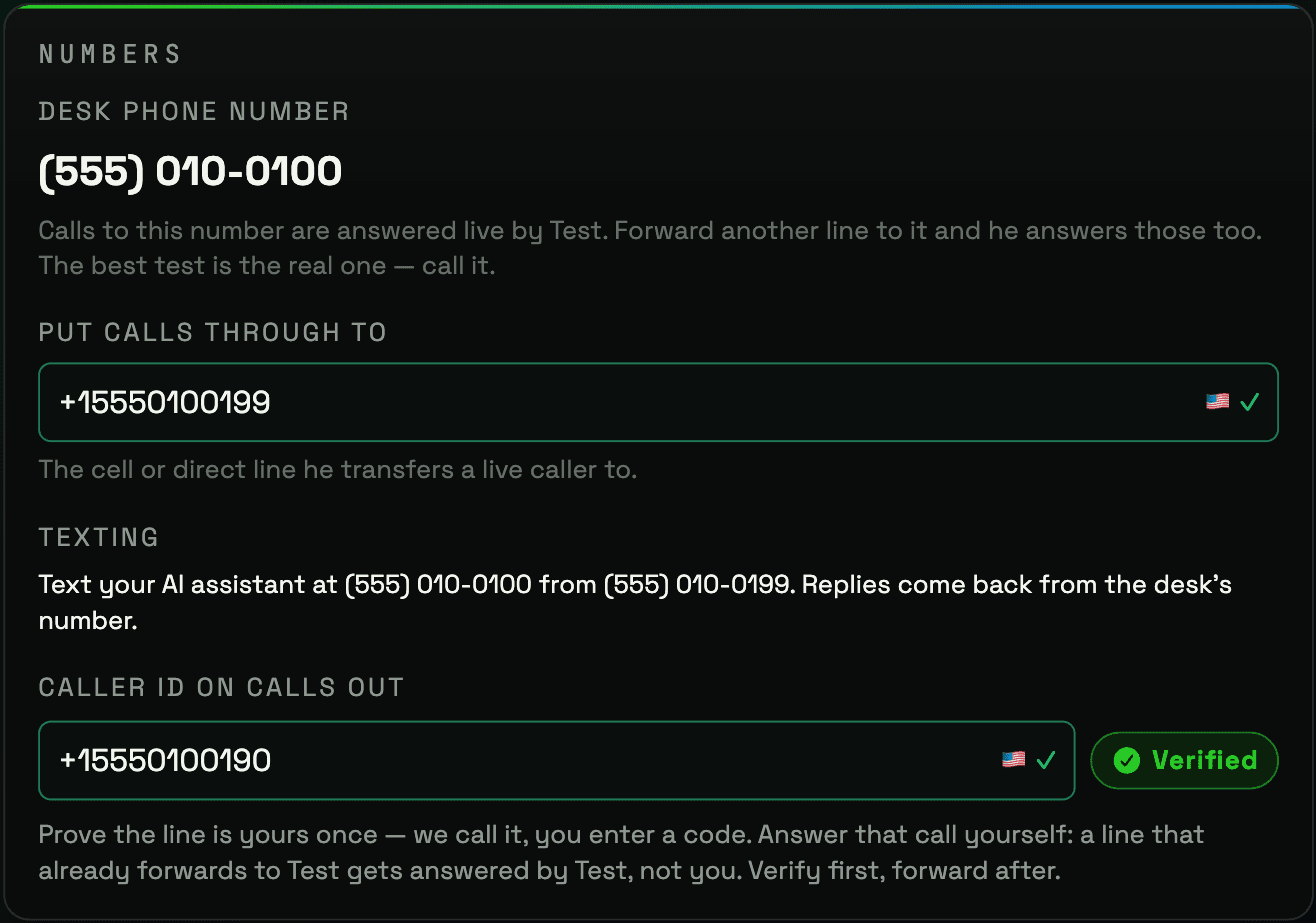
- In the Deskcovered app, open Desk Settings, then The Desk, then Numbers. The Textingrow shows your desk's texting number and whether texting is on. With your desk's numbers filled in, the row reads: “Text your AI assistant at (310) 555-0100 from (310) 555-0199. Replies come back from the desk's number.” (example numbers).
- From the mobile number you registered on your desk as the number that reaches you, send a text to that texting number. Your first text is your opt-in. Your assistant replies from the desk's number.
- If you opted out and want back in, text START to the same number.
Nobody can opt you in but you: texts from any other phone number are not answered. Before any of this, every account holder agrees to our Terms, whose text-message section says:
By texting your AI assistant’s number from your own phone, you consent to receive text replies from it at that number. Message frequency varies. Message and data rates may apply. Reply STOP to cancel and HELP for help. Consent is not a condition of any purchase. Mobile carriers are not liable for delayed or undelivered messages.
How you opt out, and how to get help
- Reply STOP to any text to opt out. You get one confirmation, then nothing more.
- Reply HELP for help, or email deskcovered@gmail.com.
- Text START to opt back in.
Your information
Mobile information, text-messaging opt-in status, and consent data will not be shared with or sold to third parties or affiliates for marketing or promotional purposes. Texts you send are stored in your desk's chat thread, the same as typed chat. The full policy is at deskcovered.com/privacy; the terms are at deskcovered.com/terms.
Deskcovered is a DBA of ActivePitch, Inc. 609 Deep Valley Drive, Rolling Hills Estates, CA 90274